Removing a Node from a Cluster
Remove a single node from a Big Data Service cluster.
Note
When you remove a node, Big Data Service decommissions the node before deleting it. However, if the decommissioning process doesn't finish in the 40-minute time limit, the request fails. Time taken to decommission a node depends on the number of blocks in the node that need to be moved. Therefore, we recommend that you decommission a node before removing it from the cluster.
When you remove a node, Big Data Service decommissions the node before deleting it. However, if the decommissioning process doesn't finish in the 40-minute time limit, the request fails. Time taken to decommission a node depends on the number of blocks in the node that need to be moved. Therefore, we recommend that you decommission a node before removing it from the cluster.
See also Removing Multiple Nodes from a Cluster.
- On the List of cluster nodes list page, find the node that you want to delete. If you need help finding the list page or the node, see Listing Cluster Nodes.
- From the for the node, select Delete node.
- In the Delete node dialog box, enter the cluster admin password.
- (Optional) To delete the node after it's gracefully decommissioned and deleted from Ambari, select FORCE DELETE.
- Select Delete.
Use the oci bds instance remove command and required parameters to remove a single node from a cluster.
oci bds instance remove --bds-instance-id <bds_instance_id> --cluster-admin-password <cluster_admin_password> --node-id <node_id> [OPTIONS]For a complete list of parameters and values for CLI commands, see the CLI Command Reference.
Use the RemoveNode operation to remove a single node from a cluster.
To decommission and remove a node in Ambari, do the following:
-
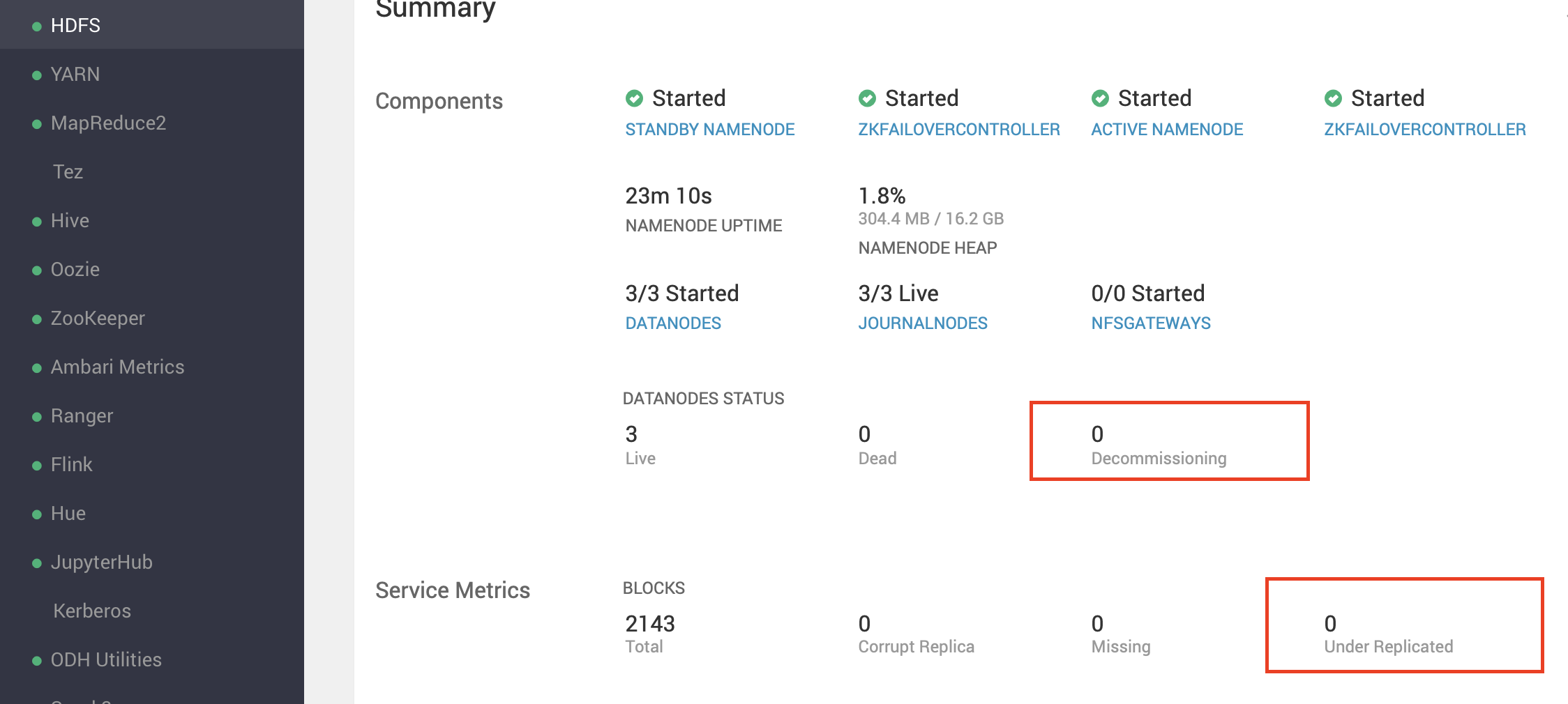
From the side toolbar, under Services select HDFS. Before moving to the next step, ensure the following:
- In the Components section, DATANODES STATUS > Decommissioning is 0.
- In the Service Metrics section, BLOCKS > Under Replicated is 0.
-
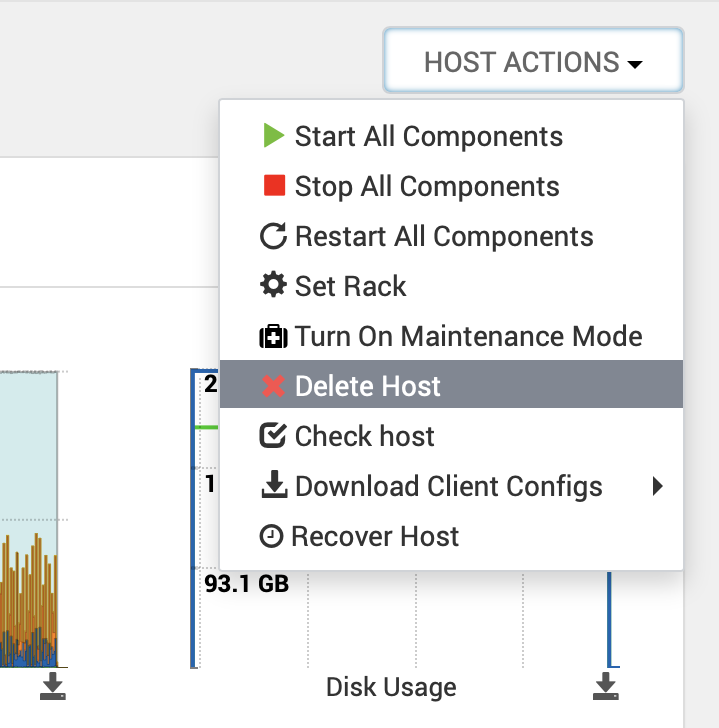
Remove the node from Ambari: From HOST ACTIONS, select Delete Host.
-
From the side toolbar, under Services select HDFS. Before moving to the next step, ensure the following: